 pvebackup
Back up your Proxmox VMs
to your Synology NAS.
A native Synology DSM app that backs up your virtual machines automatically and brings them back with a few clicks. Agentless: nothing to install on Proxmox or inside your VMs. No Docker, no VM on the NAS.
- Native DSM app
- Agentless
- No Docker, no VM
- Automatic restores
- Only 3 MB
- Intel/AMD and ARM
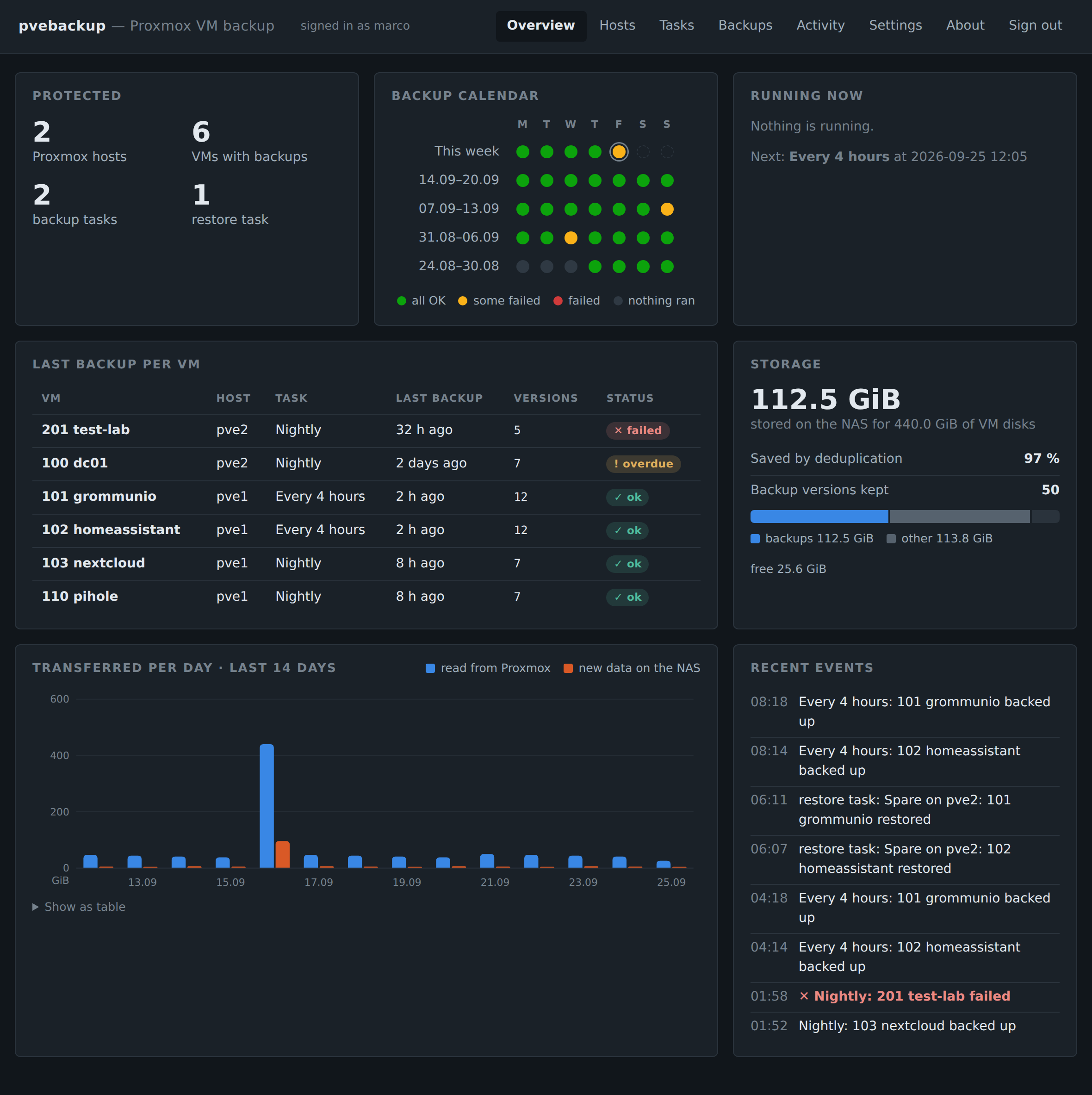
Everything at a glance: which VMs are protected, how the last weeks went, what needs attention.
Automatic backups
Pick your VMs and a schedule. After the first backup only changes are copied, so it's quick, even every few hours.
Restore in a few clicks
Bring a VM back to any Proxmox host, whenever you need it, from any version you kept.
Automatic restores
Not just backups: restore tasks keep your important VMs up to date on a second host, ready to start.
Everything at a glance
A dashboard with a backup calendar, the last backup of every VM and the space used. Failed or overdue backups stand out.
Keep what you need
The last few versions or one per day, week, month and year. Identical data is stored only once, so many versions take little space.
Start it on your PC
Export any backup as an OVA file and start the VM in VMware Workstation or VirtualBox, to test or look something up. How
Backups that are ready to start
Most backup tools stop at the backup. pvebackup can also restore automatically, so a current copy of your important VMs is always waiting on a second Proxmox host.
Back up
Your important VMs are backed up on the schedule you choose, even every hour, while they keep running.
Restore automatically
Right after each backup, a restore task brings the copy on your second host up to date, writing only what changed.
Host fails? Start the copy
Start the VM on the second host and you're back, with the data of the last backup.
The copy doesn't start on its own and keeps its last states as Proxmox snapshots. Once you start it, pvebackup stops updating it, so nothing you do there is overwritten.
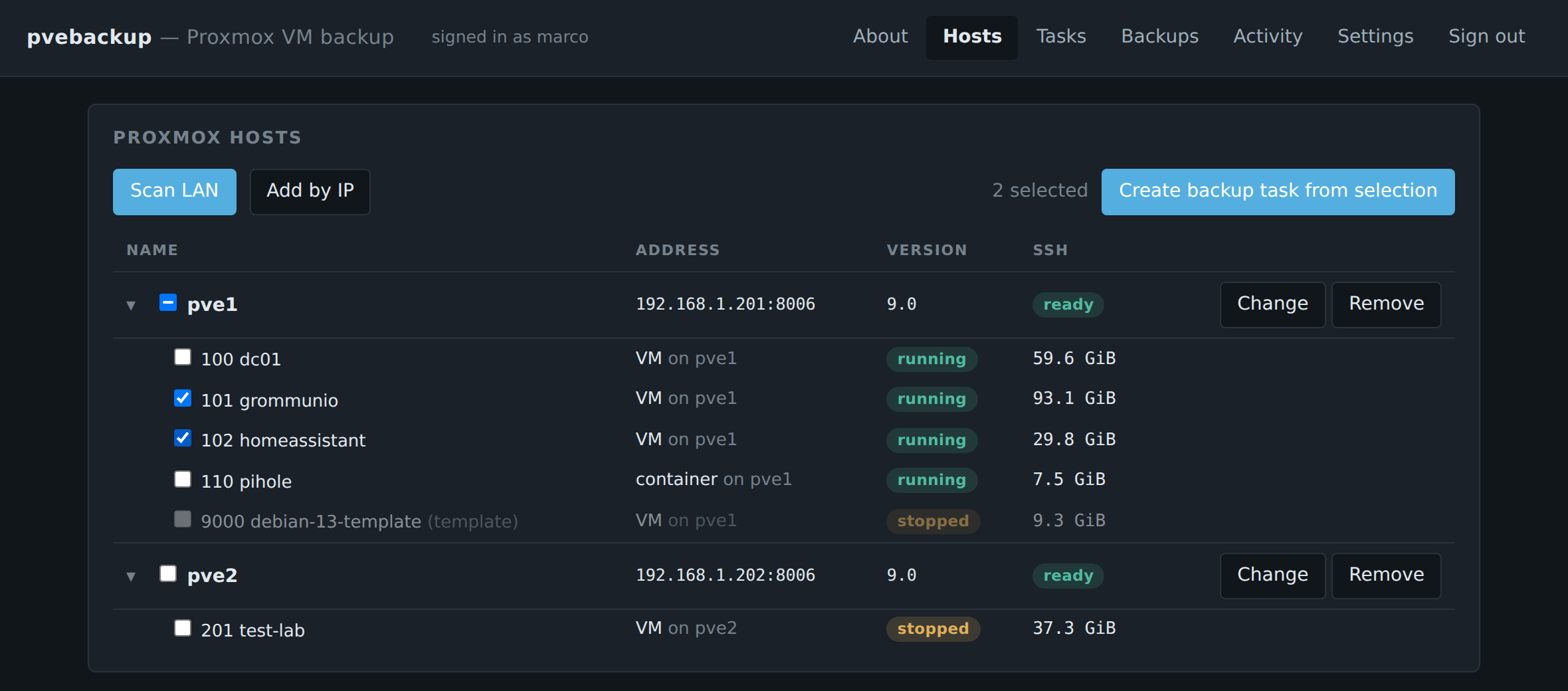
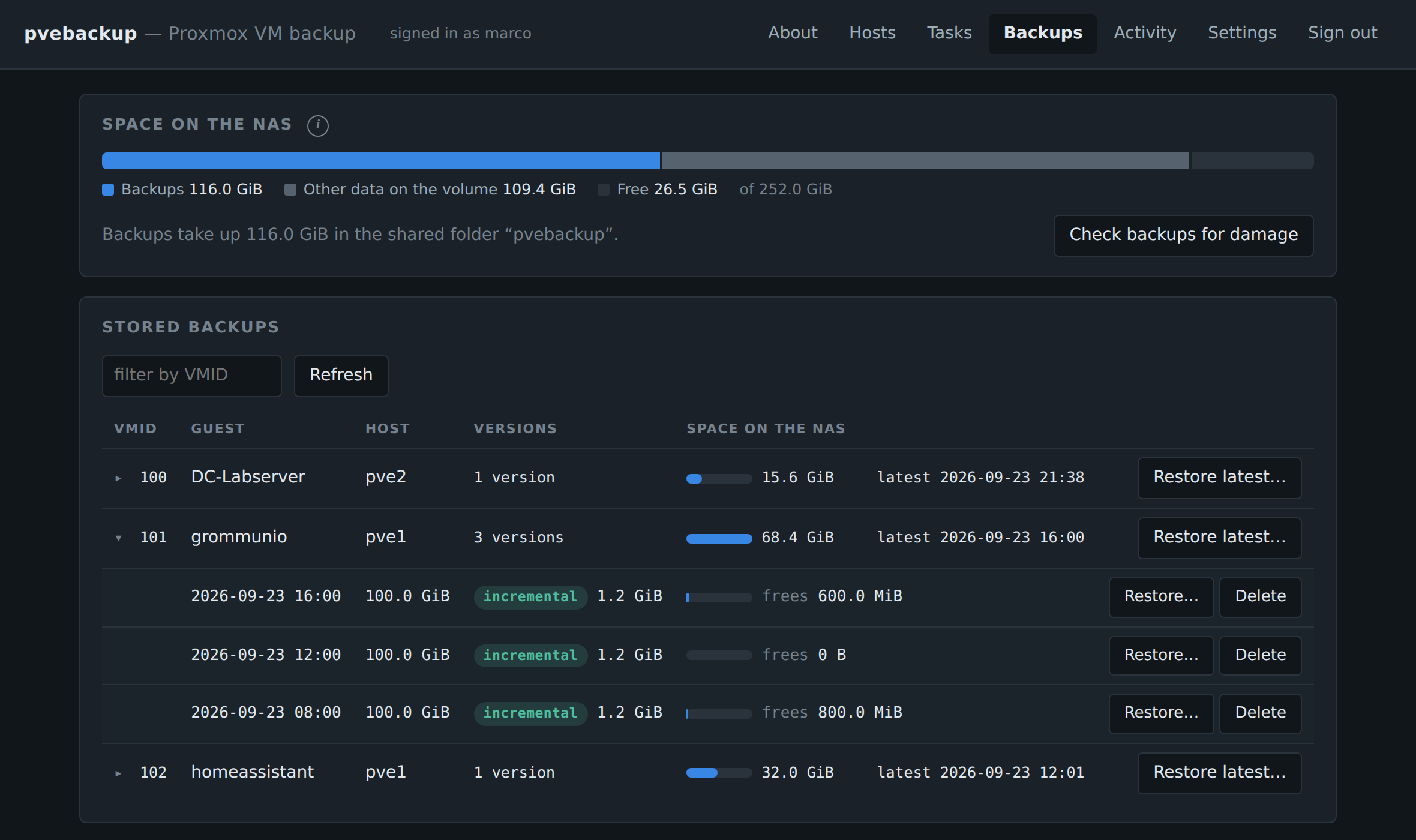
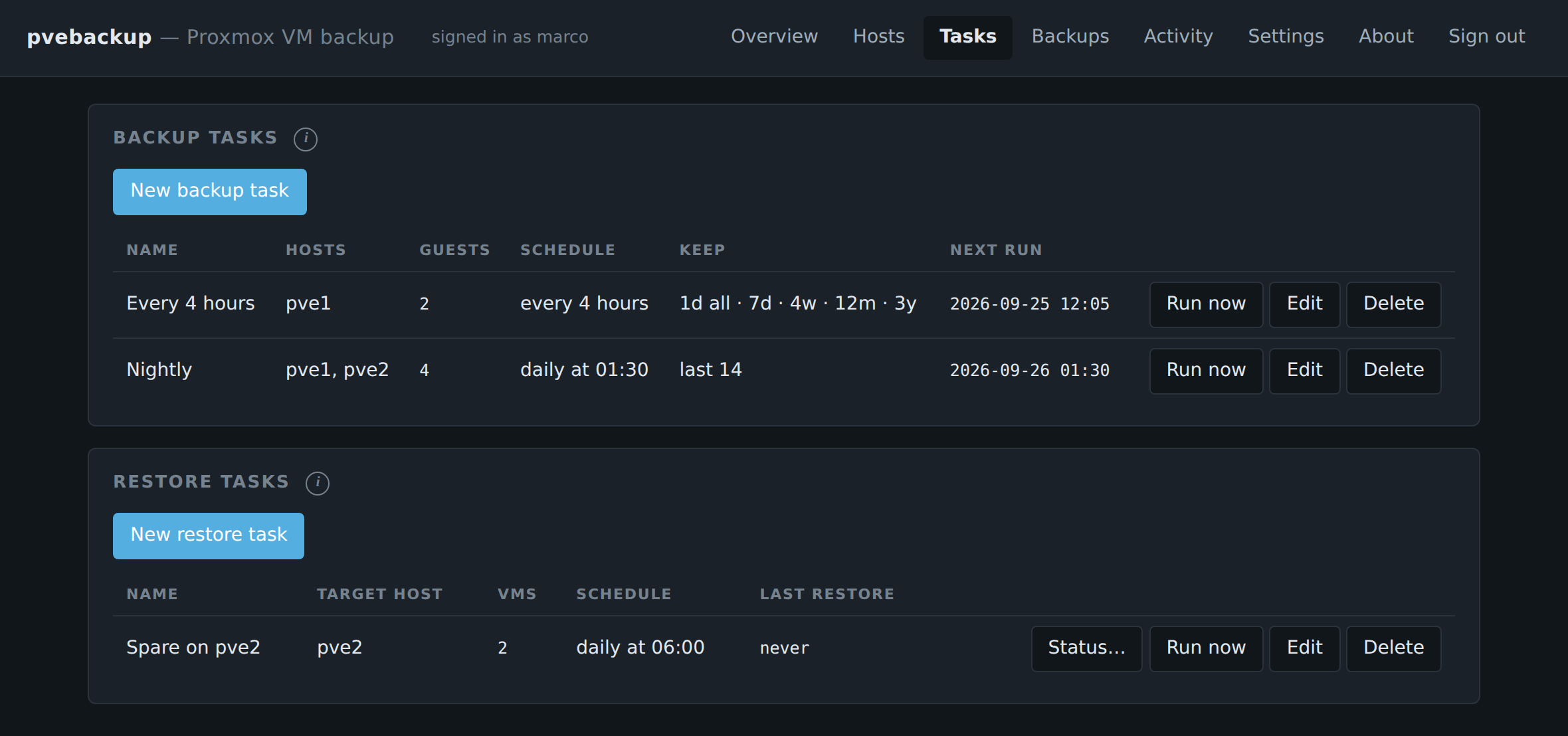
Click a picture to enlarge it.
Simple pricing
Start free. Pay once if you need more.
License
- Unlimited Proxmox hosts
- Unlimited VMs
- All features
- On all your NAS
- Free updates for version 1
30-day money-back guarantee · Pay by card, PayPal, Apple Pay or Google Pay
Questions
Do I install anything on Proxmox or in my VMs?
No, pvebackup is agentless. It signs in to your Proxmox hosts with the login you give it and reads the VM disks from the outside while the VMs keep running. Nothing is installed on the hosts or inside the VMs.
Do I need Docker or a VM on the NAS?
No. pvebackup is a native Synology app: it runs directly on DSM, takes about 3 MB and uses little memory. Nothing extra to set up.
What happens if a Proxmox host fails?
With a restore task, a recent copy of your VMs is already on a second host: start it there. Without one, restore the latest backup to any host in a few clicks.
Is my data safe?
Backups go straight from Proxmox to your NAS and never leave your network. The app doesn't send anything anywhere.
How do I install it?
Add pvebackup.app as a package source in Package Center and install it like any other app. Step by step
What if it doesn't work for me?
Try the free version first. If you buy and aren't happy, you get your money back within 30 days. Refunds
Which Synology models does it run on?
Models with an Intel or AMD CPU (the Plus series and most rack models) and models with a 64-bit ARM CPU (e.g. DS124, DS223, DS220j). On ARM models backups are slower. Which download?
Can I start a backup without Proxmox?
Yes. Export it as an OVA file and open it in VMware Workstation, VMware Fusion or VirtualBox. Windows VMs may need drivers first. What to know
Is this made by Proxmox or Synology?
No, pvebackup is an independent app. Proxmox and Synology are trademarks of their owners.